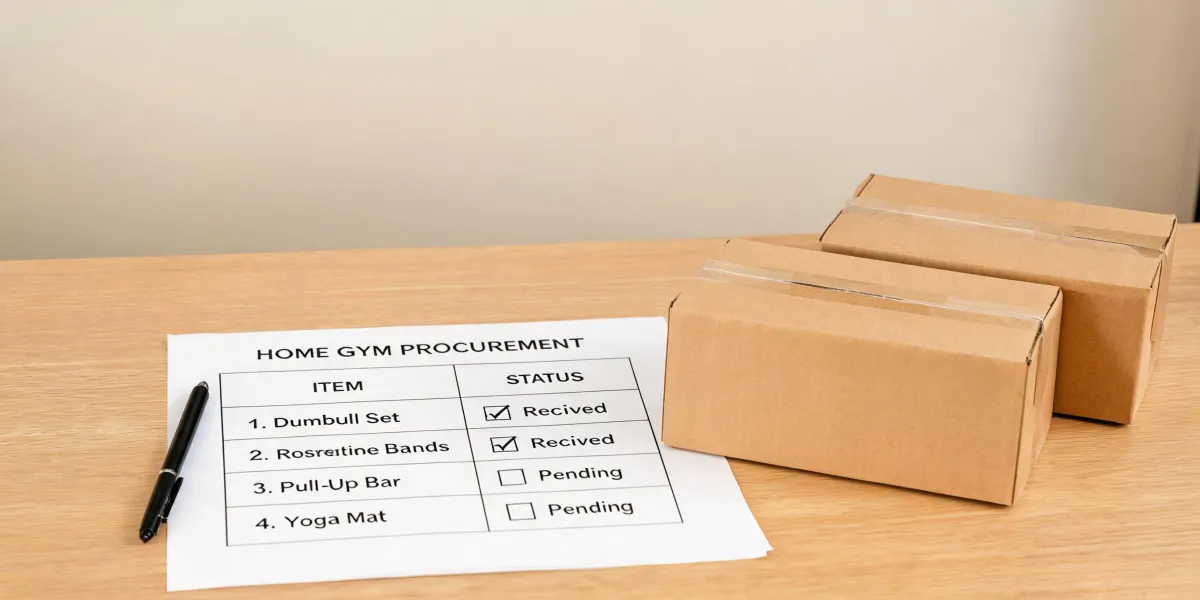
Two order sheets land on the same buyer's desk in one week. The first has a single line reading all accessories included, and it sits in review for three weeks because nobody can say which parts the factory actually committed to. The second splits standard hardware, a selectable bar and a prohibited attachment into separate rows, and it clears the meeting in under an hour.
That gap is the whole job. Using the Rogue RML-390F Flat Foot Monster Lite Rack strictly as a reference model, the included-components column has to separate three things: standard Monster Lite J-cups and a pin/pipe safety system, a pull-up bar the customer chooses, and band pegs and safety spotter arms that the manufacturer says should not be used with the Flat Foot Rack. Copying a full accessory list into one column is a documentation defect, not a shortcut.
When Included Components Go Wrong
Picture a hypothetical buyer building a rack package from a reference sheet. The sheet has one checkbox labeled included accessories. At sample approval the buyer cannot tell whether the pull-up bar sits in the base price, whether spotter arms were meant to ship, or whether the factory packed both. The review stalls, and the product may be fine while the paperwork is not approvable on its own terms.
The failure is dull and expensive at once. Someone reopens the email chain, asks what standard meant, waits two days, and gets an answer that still does not match the reference. Repeat that across a container and the included column becomes a line nobody trusts enough to defend.
Separate the rows and the outcome changes. Three columns, one part per row, a condition attached to each. Approval takes one pass, because every line ends in a yes, a no, or a written question someone still has to answer.
So what does included actually mean once the product is a custom build rather than a stock rack on a product page?
What a Custom Home Gym Means Here
In this article, custom home gym included components means the named parts a buyer requires a custom supplier to pack, document and approve. Nothing wider. The reference is a stock rack, not a supplier offer, and the two should not share a column without a label saying which is which.
The Rogue RML-390F Flat Foot Monster Lite Rack gives the sheet its shape. It comes standard with a pair of Monster Lite J-cups and a pin/pipe safety system, and the customer picks a Single Skinny or Fat/Skinny 43-inch pull-up bar. The frame runs 3x3-inch 11-gauge steel uprights on 2x3-inch 11-gauge steel bases, with Westside hole spacing and 5/8-inch bolts and fasteners, manufactured in Columbus, Ohio.
Read that as a description of one model on one page, not a template for what a factory will pack. A custom supplier's inclusions are whatever that supplier writes down and signs. Until a signature exists, the reference only tells you where to start asking.
Those categories are not equal in weight. Which parts on this rack are standard, which are chosen, and which are ruled out entirely?
Separate Standard, Selectable and Prohibited Parts
Standard means packed on every order of that model with no choice involved. On the RML-390F that is the pair of Monster Lite J-cups and the pin/pipe safety system. Put it in the sheet as a fixed line, because a buyer who has to ask whether J-cups are coming has already lost a week.
Selectable means the buyer picks from a defined set. The 43-inch pull-up bar comes as Single Skinny or Fat/Skinny. Both are legitimate, they are different parts, and the acceptance record has to name which one was confirmed rather than accepting bar as a sufficient description.
Prohibited is the category buyers skip, and it is the one that causes trouble on the floor. Rogue's page states that Band Pegs and Safety Spotter Arms should NOT be used with the Flat Foot Rack. That is a restriction tied to one model, and it belongs on the sheet as a hard no instead of a maybe-later add-on.
Same family is not compatible, and compatible is not included. Three words, three rows. A Monster Lite accessory that fits a bolted rack does not automatically belong on a flat-foot rack, and nothing in the reference says a custom supplier will offer either one.
That distinction carries most of the risk, so how do you walk it into a sheet somebody can actually sign?
Build the Acceptance Sheet Step by Step
Lock the reference before anything else. Write the model name, the page you read it from, and the date you read it into the sheet header. A reference with no date cannot be re-checked, and a claim that cannot be re-checked is not a specification. It is a memory two people will argue about.
Then build three columns and force every row into one of them: standard, selectable, prohibited or needs check. The forcing function matters more than the labels. When a buyer must choose a column, vague accessories stop hiding inside a bulk line and start appearing as open questions with a name attached.
Add a question column for anything the reference does not cover — flooring, bench, plate storage. An empty question column is a red flag. It usually means the buyer assumed instead of asked, and assumptions come back as chargebacks when the packing list does not match what a sales rep promised three months earlier.
Finally, gate the included column on written confirmation. Nothing enters it on a verbal yes, a catalog photo or a similar model. Written confirmation means the supplier's own document naming the part, the SKU and the condition, signed by someone the buyer can hold to it after the deposit clears.
Notice what this workflow refuses to do. It does not decide what the supplier offers. It decides only what the buyer is willing to write down before the sample arrives. Where does the reference stop being useful and start being a promise nobody can keep?
Where the Reference Stops and Supplier Starts
The reference stops the moment the sheet starts describing a supplier's package. Four things are known here: the RML-390F's standard parts, its bar options, its frame specs, and one attachment restriction. Everything else is open — price, minimum order quantity, lead time, capacity, whether the factory will touch hole spacing or steel gauge, whether it will pack a specific bar. Reading the Rogue page harder does not fill any of that in.
The wording carries as much weight as the boundary. Write ask the supplier to state, not the supplier will provide. The first is a task assigned to a person. The second is a commitment the buyer invented, and it will be quoted back at them the moment the goods do not match.
A second trap is credibility transfer. A US-made rack with published steel specs lends its reputation to whatever sits beside it on the same sheet. A custom product inherits the questions, not the origin and not the reputation.
If the sheet cannot promise anything yet, what should sample approval capture first?
What Sample Approval Should Record First
Start with the supplier's own component list by SKU, not a brochure line. Request the packing list that will travel with the shipment, because a receiver can check it against cartons on the floor. Then ask for a written statement of what is compatible with the offered model and what is explicitly excluded. The RML-390F note on band pegs and spotter arms shows the shape such a statement should take: named parts, named model, plain restriction.
Substitutions need a rule too. If a J-cup style changes mid-production, who signs off, and where does the change show up on the acceptance record? Put a QC sign-off line on the sample approval itself, with a date and the name of the person who accepted the sample.
No test result, no certification and no pass-fail verdict belongs on that sheet yet. There is no supplier sample data behind this article, and inventing a green check would be worse than leaving the cell blank where everyone in the review can see it.
The objection that usually arrives here is that the factory can simply copy the RML-390F package and finish the job. Copy it as a starting point, because a starting point is exactly what it is: a map of which categories need separating. What no reference can supply is the supplier's own inclusions, its own compatibility statement, its own customization rights or its own sample record. Keep the included-components column open until those four arrive in writing. A blank row under review is a controllable problem; a filled row nobody can defend is not.

Leave a purchasing question